2026-08-12 · 6 min read
How to Track Progressive Overload (Without Overcomplicating It)
Progressive overload is the single principle that most strength gains come down to: over time, you need to do a little more than you did before — more weight, more reps, more sets, or better form at the same load. Every program, every app, every coach is built on some version of this idea. And yet most lifters can't actually tell you whether they're doing it. They know they trained hard today. They don't know if today was harder than three weeks ago.
That gap isn't a discipline problem. It's a tracking problem. If you don't have a record of what you lifted last time, progressive overload becomes a feeling instead of a fact. Here's how to track it in a way that's accurate without turning your training log into a spreadsheet project.
The short version
- Progressive overload means increasing the demand on a muscle over time — weight, reps, sets, or density — not just showing up and training hard.
- You can't track it from memory. You need a record of what you actually did last session, for the specific exercise you're about to do.
- Weight is the easiest lever to track but not the only one — reps, total volume, and rest time all count as overload too.
- A stalled lift for 2–3 sessions in a row is a real signal worth acting on, not something to push through blindly.
- The tracking method matters less than the consistency of using it — a notes app works if you actually check it before every set.
What counts as progressive overload (it's not just adding weight)
The instinct is to think progressive overload means adding 5 pounds to the bar every week. That works for a while, especially early on, but it's only one of several ways to increase demand on a muscle. You're also overloading when you do the same weight for more reps, when you add a set, when you rest less between sets at the same weight and reps, or when you tighten up your form so the same weight is genuinely harder to move. All of these count. Fixating only on the number on the bar is why a lot of lifters think they've stalled when they've actually still been progressing — just on a different axis.
This matters for tracking because it means one number isn't enough. If you only log weight, you'll miss the weeks where you added a rep or dropped your rest time, and you'll wrongly conclude you're stuck.
Step 1: Log the exercise, not just the workout
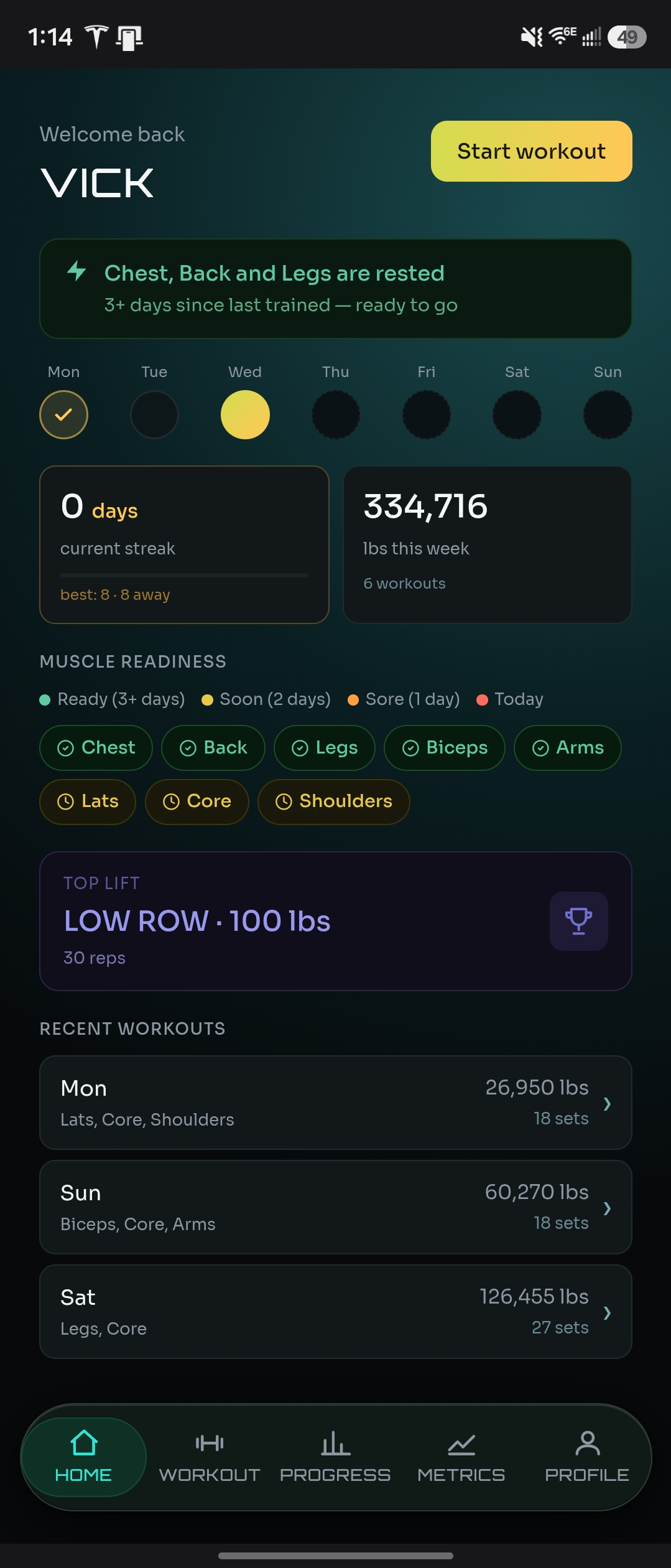
The most common tracking mistake is logging that you "did legs" instead of logging what happened on each individual exercise. Progressive overload is measured per exercise, not per session. You need to know that your last set of barbell squats was 185 lbs for 8 reps — not just that leg day happened. If your log doesn't let you pull up "what did I do last time on this exact exercise" in a few seconds, it's not doing the one job that matters most.
Step 2: Check your last session before you load the bar
This is the step almost everyone skips, and it's the one that actually drives overload. Before you do a working set, look up what you did last time on that exercise — weight, reps, and how it felt. Then decide, deliberately, whether you're matching it, beating it, or backing off on purpose. Without that lookup, you're guessing, and guessing tends to default to "about the same as usual," which is exactly how lifters plateau without noticing.
This is also why a written or app-based log beats memory even for lifters with years of experience. You might remember your squat numbers. You almost certainly don't remember your dumbbell row weight from three sessions ago, or whether your last set of lateral raises was 12 reps or 15. The exercises that get neglected in memory are usually the accessory movements — and those are exactly where overload quietly stalls first.
Step 3: Track total volume, not just top-set weight
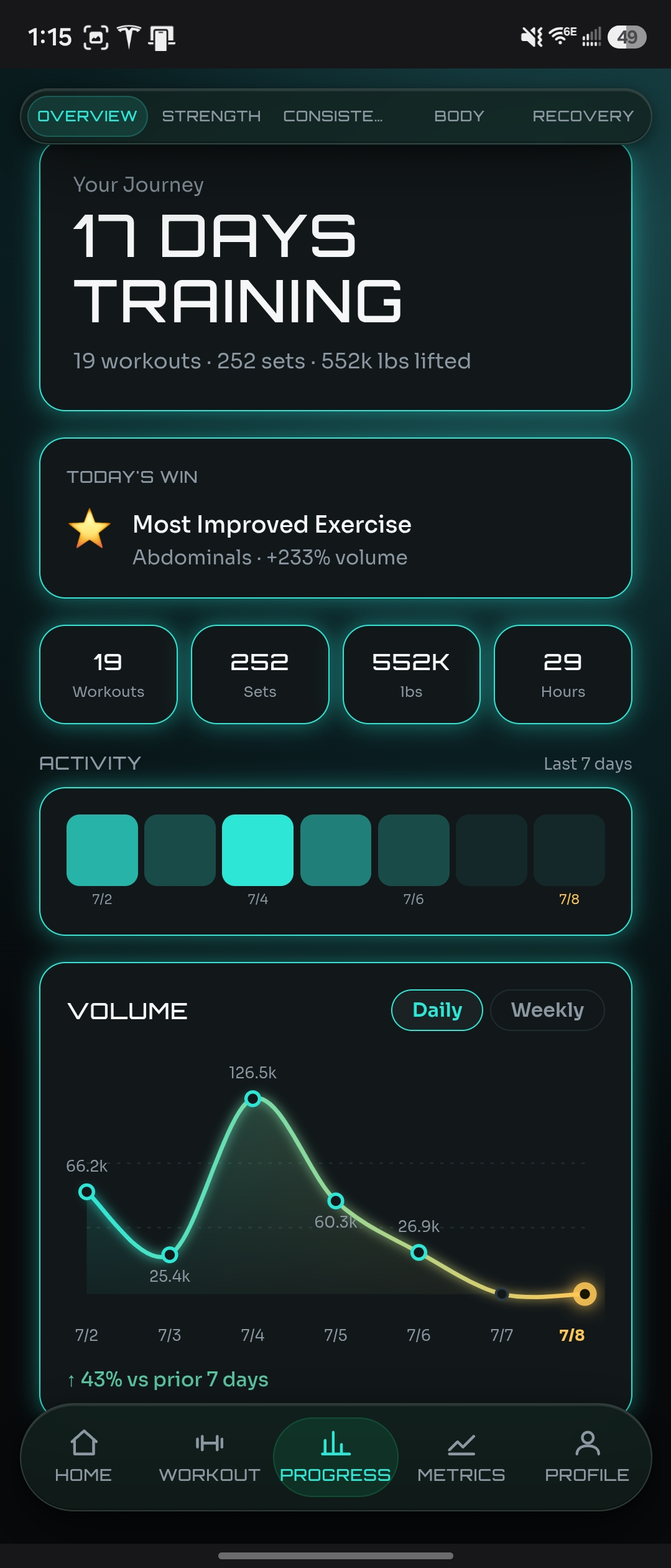
Weight on your heaviest set tells you part of the story. Total volume — sets × reps × weight, added up across the whole exercise or the whole session — tells you more. You can increase volume even on a week where your top set doesn't move, by adding a set or holding your reps steady across more working sets. Watching volume trend upward over weeks, even when individual numbers look flat session to session, is often the clearer signal that you're still progressing.
Step 4: Know what a real plateau looks like
One bad session isn't a plateau — it's a Tuesday. Sleep, stress, and nutrition all move your performance around day to day, and a single flat or down session is normal noise, not a signal. A real plateau is when an exercise hasn't moved on weight, reps, or volume for 2–3 sessions in a row, despite you genuinely trying to push it each time. That's the point where it's worth a specific decision — deload the weight and rebuild, change the rep range, swap the exercise variation, or check whether recovery is the actual bottleneck instead of the programming.
Without a log, you can't tell the difference between a bad day and a real plateau, so you either panic too early or ignore a real stall for months. This is the single biggest practical reason to track progressive overload in the first place — not to watch numbers go up, but to know when they've actually stopped.
Step 5: Don't ignore recovery data alongside the lifts
Progressive overload isn't just a training-log problem — it's downstream of recovery. If your sleep has been bad or your stress is up for two weeks straight, a stalled lift is explained by that, not by the exercise or the programming. Tracking sleep quality, energy, and stress alongside your lifts turns a confusing plateau into an obvious one: the weight didn't stop responding, your recovery did.
How NaMiVisa tracks this for you
NaMiVisa is built around exactly this workflow. Every exercise you log is tied to your full history for that specific movement, so pulling up "what did I do last time" happens automatically — it's right there when you go to log a new set, not buried in a scroll through old workouts. Personal records are captured without any manual tracking on your end. Weekly volume is charted so you can see the trend even on weeks where your top set didn't move. And because recovery signals — sleep, energy, stress, motivation — are logged in the same app, you can look at a stalled lift next to your recovery data instead of guessing whether it's the programming or the sleep.
None of this requires a program or a template. You log what you did, and the history builds itself in the background, ready the next time you need it.
See also
Try the live demo — no sign-up required
Explore months of realistic training data before creating an account.
Bottom line
Progressive overload isn't complicated in principle — do a little more over time. It's hard in practice only because most lifters don't have an accurate record of what "before" actually looked like. Log by exercise, check your last session before you load the bar, watch volume as well as top-set weight, and give a real plateau 2–3 sessions before you react to it. The tracking is the whole trick.
There is a live demo account with months of realistic training data you can explore before creating an account — no email required.
NaMiVisa is a free private workout tracker. Learn more →